> ## Documentation Index
> Fetch the complete documentation index at: https://docs.centipidbilling.com/llms.txt
> Use this file to discover all available pages before exploring further.
# Notifications and templates
> Configure automated subscriber messages, router alerts, outage compensation, and sales reports.
# Automate messages deliberately
Open **Settings → Message templates** for subscriber-event copy and **Settings → Operator alerts** for operational notifications.
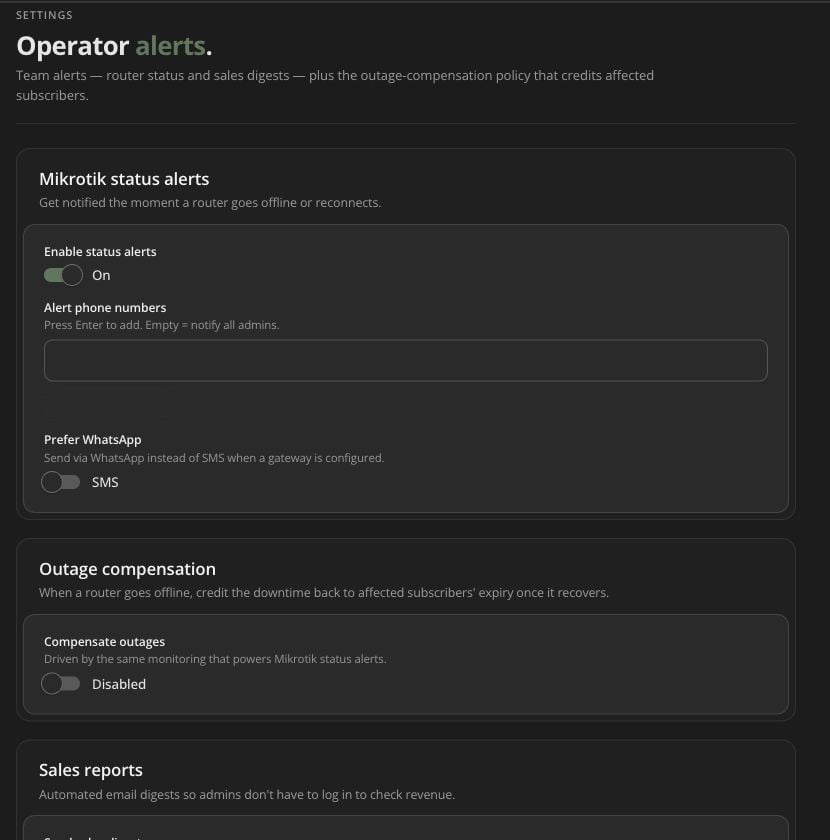 ## Subscriber templates
Current template switches include:
* PPPoE payment/renewal confirmation;
* Hotspot payment confirmation;
* Hotspot confirmation for new users only;
* voucher SMS;
* PPPoE expiry notice;
* Hotspot expiry notice;
* PPPoE pre-expiry reminder;
* bundle-usage warning and trigger percentage.
Message fields enforce a 320-character maximum. Insert variables only from the UI. Test with records that contain/miss optional values so messages remain readable.
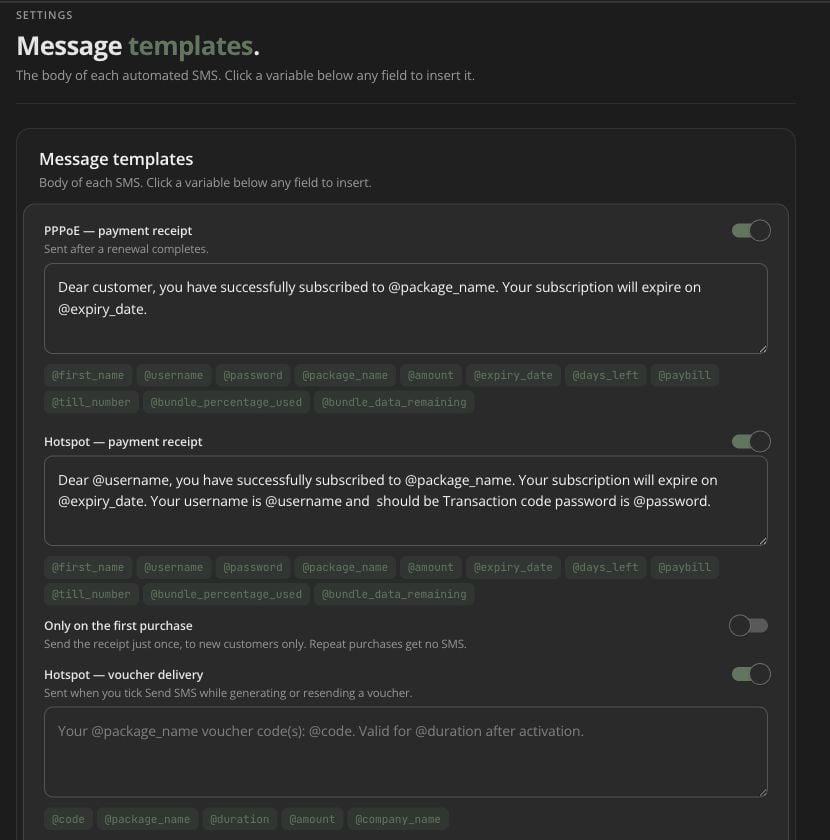
## Subscriber templates
Current template switches include:
* PPPoE payment/renewal confirmation;
* Hotspot payment confirmation;
* Hotspot confirmation for new users only;
* voucher SMS;
* PPPoE expiry notice;
* Hotspot expiry notice;
* PPPoE pre-expiry reminder;
* bundle-usage warning and trigger percentage.
Message fields enforce a 320-character maximum. Insert variables only from the UI. Test with records that contain/miss optional values so messages remain readable.
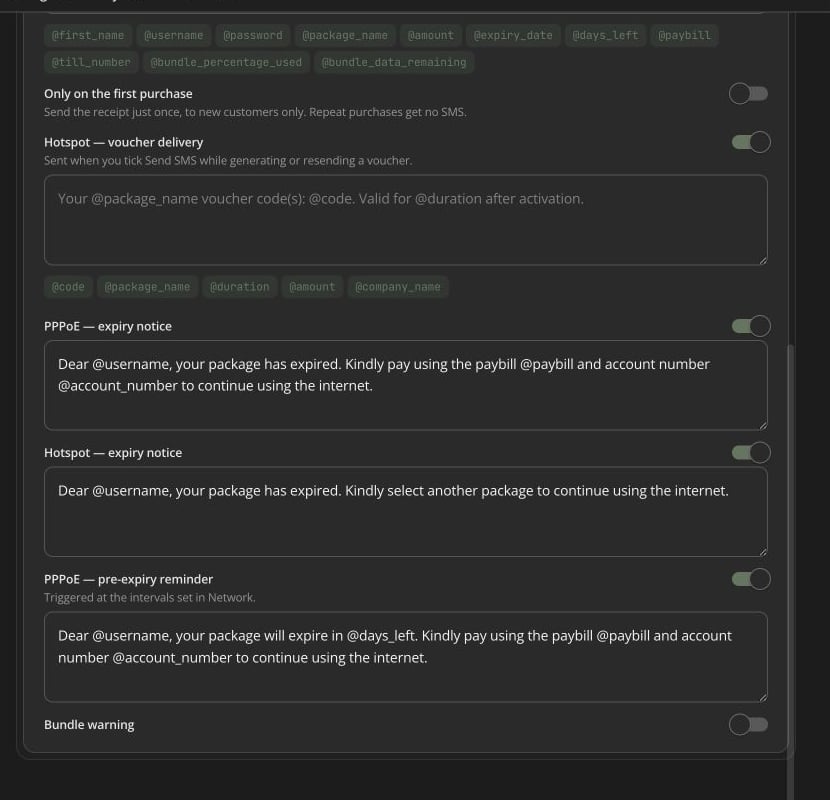 ## Pre-expiry reminders
PPPoE reminder timing is configured under **Settings → PPPoE**; the template controls content. Both must be enabled, and the subscriber needs a valid phone/provider path.
## Pre-expiry reminders
PPPoE reminder timing is configured under **Settings → PPPoE**; the template controls content. Both must be enabled, and the subscriber needs a valid phone/provider path.
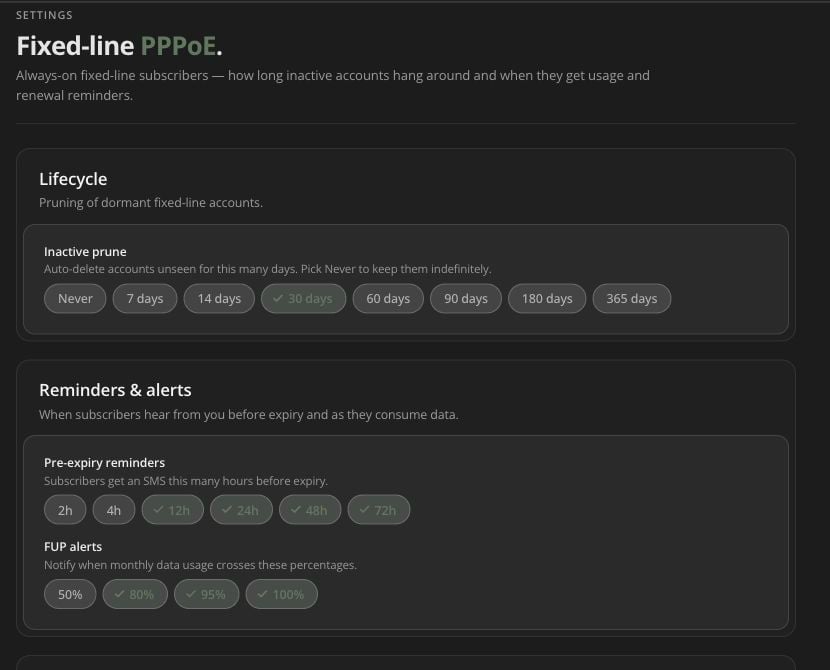 ## Router-status alerts
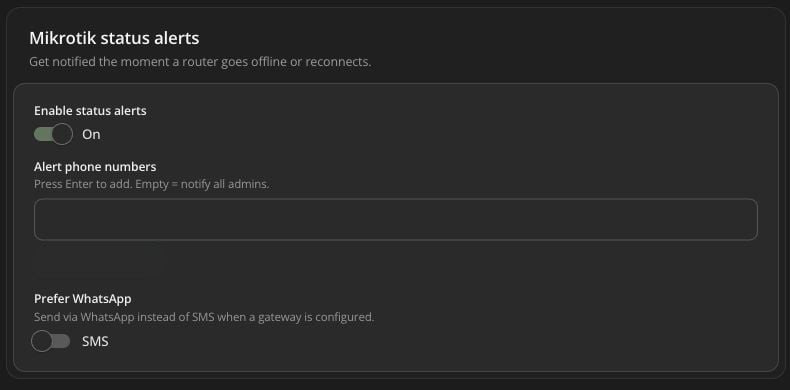
Enable MikroTik status notifications, select explicit phone numbers or leave the list empty for the current administrator-default behavior, and optionally prefer WhatsApp when configured.
Test provider delivery separately from router monitoring. An outage can be detected even if the notification provider is unavailable.
## Router-status alerts
Enable MikroTik status notifications, select explicit phone numbers or leave the list empty for the current administrator-default behavior, and optionally prefer WhatsApp when configured.
Test provider delivery separately from router monitoring. An outage can be detected even if the notification provider is unavailable.
 ## Outage compensation
When enabled, monitoring can compensate qualifying outages based on:
* credit percentage of downtime (1–100);
* minimum outage duration (0–1,440 minutes);
* PPPoE, Hotspot, or all connection types;
* selected time-based packages or all;
* optional subscriber notification and message variables.
This setting can change subscriber service time at scale. Model a sample outage/credit, review package selection, and use a controlled rollout.
## Sales reports
Operator alerts can enable sales reporting through configured recipients/channel behavior. Confirm timezone and recipient access to financial information.
## Troubleshooting automation
If an expected message is missing, check event eligibility, enable switches, template, subscriber phone, provider configuration/balance, send record/status, queue timing, and any new-users-only/percentage/reminder condition. Avoid triggering the business event repeatedly before checking the first result.
## Outage compensation
When enabled, monitoring can compensate qualifying outages based on:
* credit percentage of downtime (1–100);
* minimum outage duration (0–1,440 minutes);
* PPPoE, Hotspot, or all connection types;
* selected time-based packages or all;
* optional subscriber notification and message variables.
This setting can change subscriber service time at scale. Model a sample outage/credit, review package selection, and use a controlled rollout.
## Sales reports
Operator alerts can enable sales reporting through configured recipients/channel behavior. Confirm timezone and recipient access to financial information.
## Troubleshooting automation
If an expected message is missing, check event eligibility, enable switches, template, subscriber phone, provider configuration/balance, send record/status, queue timing, and any new-users-only/percentage/reminder condition. Avoid triggering the business event repeatedly before checking the first result.