
Gateway credential reference
Review gateway credential requirements
Obtain every value from the provider/merchant account belonging to the ISP. “Required” below reflects the current credential component, except in the explicitly marked backend-only section, where it reflects backend readiness rules. A provider can impose additional dashboard configuration such as callback URLs, IP allowlists, product activation, or settlement verification.
Kenya and manual instruction methods
SAFARICOM
- Collection method: Paybill or Till.
- Paybill number or normal till number (required, maximum 20 digits).
- M-Pesa shortcode (required; same as paybill in paybill mode, distinct Daraja shortcode in till mode).
- Consumer key (required, secret field).
- Consumer secret (required).
- Passkey (required for STK push).
PAYBILL
- Paybill number (required, digits only, 4–20 characters).
- Account number (optional, up to 20 characters — letters, digits, hyphens and slashes). Only for a SACCO paybill, or one shared with other businesses; it is your account on that paybill. Blank keeps the default account reference.
No Daraja keys are requested: the STK push is raised with the platform’s Daraja credentials. See Paybill.
TILL_NUMBER
- Till number (required, maximum 20 characters).
No Daraja keys are requested: the Buy Goods STK push is raised with the platform’s Daraja credentials. See Till number.
BANK
- Receiving bank/paybill (required; selected from the current bank list or saved option).
- Bank account number (required).
Changing the bank/paybill clears the account number so an account for the previous bank is not saved accidentally. Use a business account owned by the ISP.
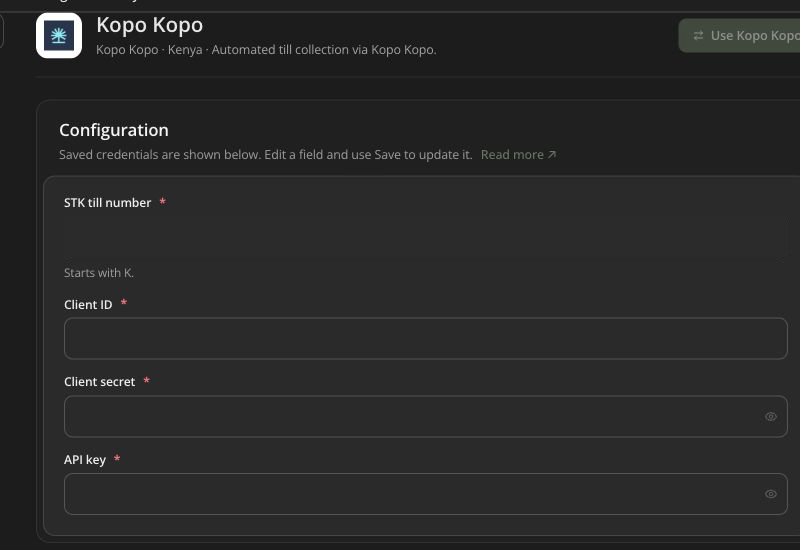
KOPOKOPO
- STK till number (required, starts with
K, maximum 30 characters). - Client ID (required).
- Client secret (required).
- API key (required).
CENTIPID
- Kenya: payment number (required, maximum 10 characters, starts with
0). - Other supported countries: no stored recipient field in this form; withdrawal recipient details are entered at withdrawal time.
Regional/mobile-money APIs
IOTEC
- Iotec wallet ID (required).
- Iotec client ID (required).
- Iotec API secret (required).
AIRTEL_MONEY
- Airtel client ID (required).
- Airtel client secret (required).
- Country code override (optional ISO two-letter code, maximum 3 characters in the form).
- Currency code override (optional ISO three-letter code, maximum 3 characters).
Leave overrides blank to use your account’s country and currency unless provider onboarding requires a different explicit value.
PAWAPAY
- PawaPay API token (required).
CLICKPESA
- API key (required).
- Client ID (required).
PALMPESA
- API token (required, secret field).
- API host (optional URL; blank uses the default PalmPesa endpoint).
The API token is the only field required to switch to PalmPesa. Checkout also needs a payer email address and a Tanzanian phone number — see PalmPesa.
AZAMPAY
- Environment: Sandbox or Production (required).
- App name (required; exactly as configured at AzamPay).
- Client ID (required).
- Client secret (required).
- Authenticator base URL (required URL).
- Checkout base URL (required URL).
- Callback password (optional in Sandbox; follow provider requirements for Production).
HUBTEL
- Hubtel client ID (required).
- Hubtel client secret (required).
- Merchant account number (required; your Hubtel POS Sales ID).
ORANGE_MONEY
- Merchant key (required; Web Payment key).
- Consumer key (required).
- Consumer secret (required).
Customers complete payment on Orange’s hosted checkout and return to the application; verify both return and provider notification behavior.
VODACOM_MPESA
Settings requires:
- merchant code (
vodacom_merchant_code); - API key (
vodacom_api_key, secret); - public key (
vodacom_public_key, secret).
Currency (vodacom_currency) is optional: CDF or USD, and CDF when not set. The country catalog offers this gateway for the Democratic Republic of the Congo. The gateway page displays the callback URL to register on the Vodacom portal.
PAYNOW
- Integration ID (required).
- Integration key (required, secret field, stored encrypted).
The country catalog offers this gateway for Zimbabwe. The integration must be in the currency the account bills in (USD or ZWG). The result URL is sent with each transaction, so there is nothing to register in Paynow.
MTN Mobile Money Collections
MTN_MOMO
Settings requires:
- subscription key (
mtn_momo_subscription_key); - API user (
mtn_momo_api_user); - API key (
mtn_momo_api_key, secret).
The country catalog includes MTN MoMo for Uganda, Ghana, Côte d’Ivoire, Zambia, Benin, and Cameroon. The gateway page also displays the callback URL your ISP account sends with each RequestToPay.
Card, bank, and multi-method providers
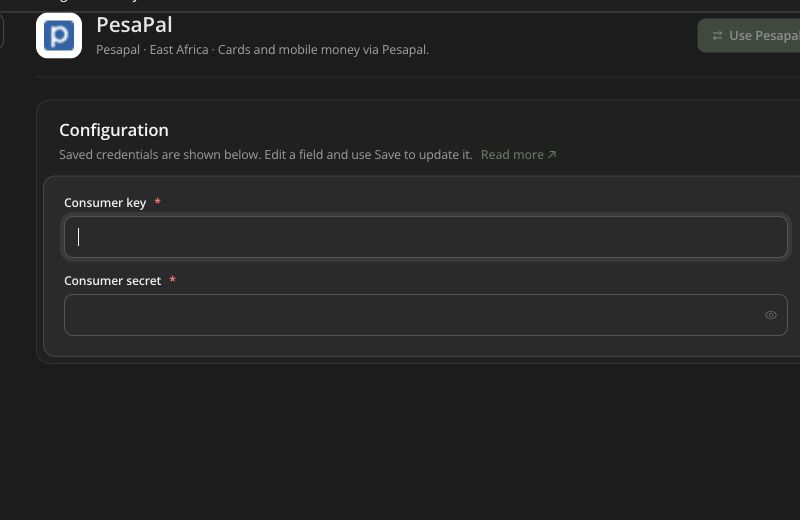
PESAPAL
- Consumer key (required).
- Consumer secret (required).
Saving these also registers your IPN URL with PesaPal and stores the id it issues; PesaPal rejects orders that carry no IPN id, so a registration failure is reported on the settings page rather than left for checkout.
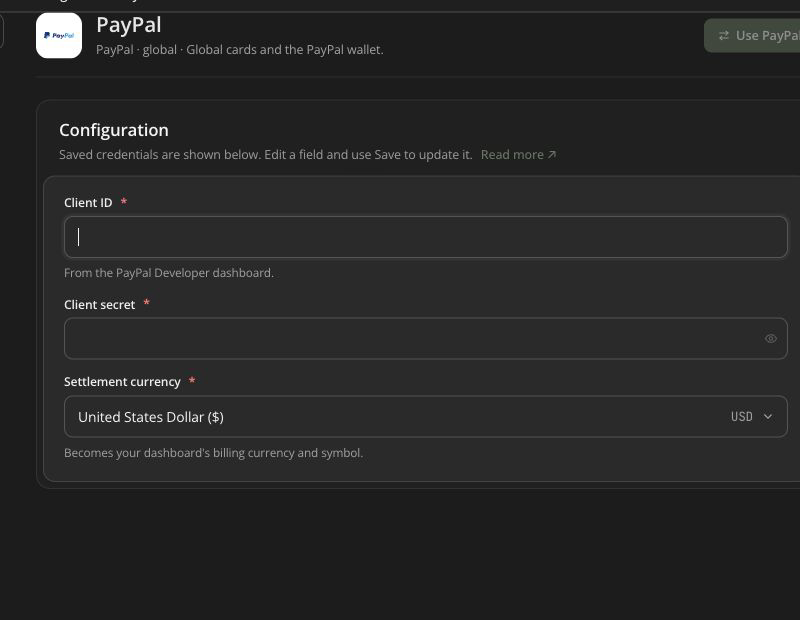
PAYPAL
- Client ID (required).
- Client secret (required).
- Settlement currency (required; choose from the current currency list).
OPAY
- Merchant ID (required).
- Public key (required).
- Private key (required; used for callback signature validation).
MONNIFY
- API key (required).
- Secret key (required; also signs the webhook).
- Contract code (required).
- Environment: Live or Sandbox.
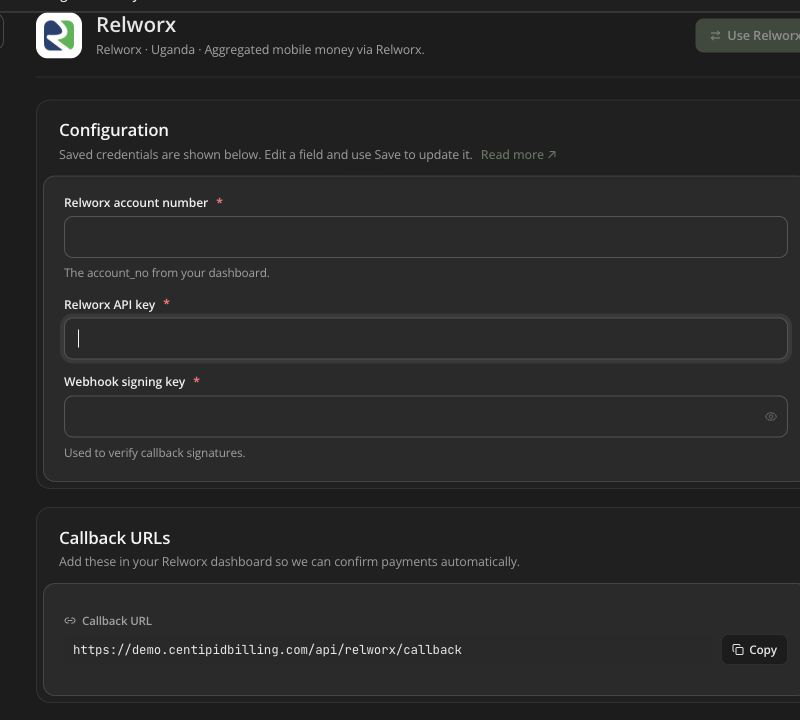
RELWORX
- Relworx account number /
account_no(required). - Relworx API key (required).
- Webhook signing key (required).
PAYSTACK
- Live secret key (required; current form expects
sk_live_…). - Live public key (required; current form expects
pk_live_…).
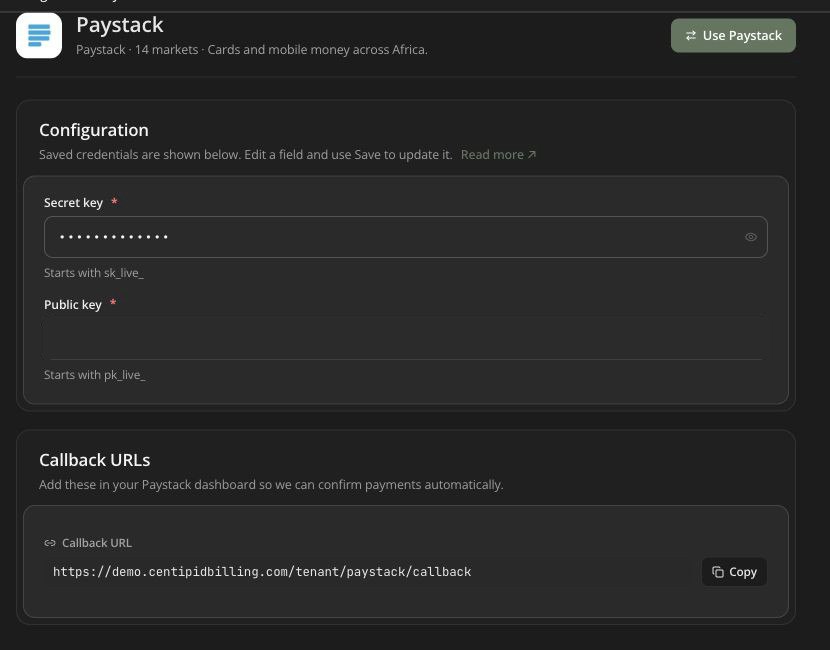
Do not place sandbox keys into this live-key form unless the application/provider configuration explicitly changes.
ZENOPAY
- API key (required, secret field).
- API host (optional URL; blank uses the default ZenoPay host).
The API key is the only field required to switch to ZenoPay. Checkout also needs a payer email address and a Tanzanian phone number — see ZenoPay.
DPO
- Company token (required).
- Service type (required numeric product/service code).
PAYFAST
- Merchant ID (required).
- Merchant key (required).
- Passphrase (optional in the form, strongly recommended; it must match PayFast and signs payment/notification data).
Secret-handling checklist
- Values come from the provider account owned by this ISP and environment.
- Secrets are pasted only into masked secret fields.
- Screenshots/logs do not expose them.
- Callback signing secrets match the provider dashboard.
- Test/live credentials are not mixed.
- A controlled payment proves the full callback and ledger path.
- Former staff cannot still access the provider account or stored secrets.