
Notifications and templates
Automate messages deliberately
Open Settings → Message templates for subscriber-event copy and Settings → Operator alerts for operational notifications.
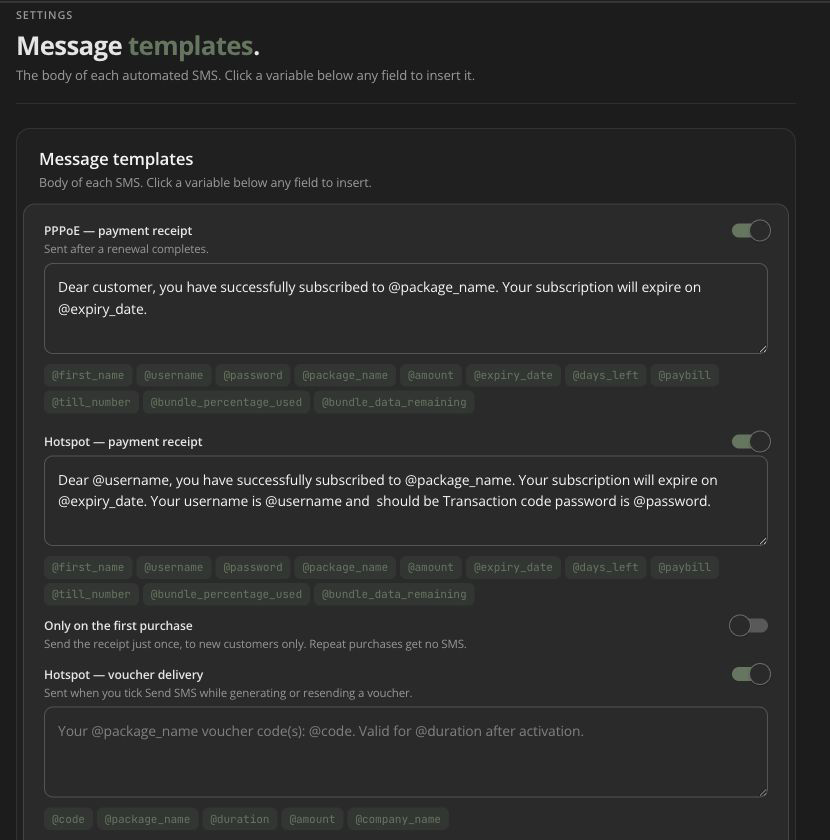
Subscriber templates
Current template switches include:
- PPPoE payment/renewal confirmation;
- Hotspot payment confirmation;
- Hotspot confirmation for new users only;
- voucher SMS;
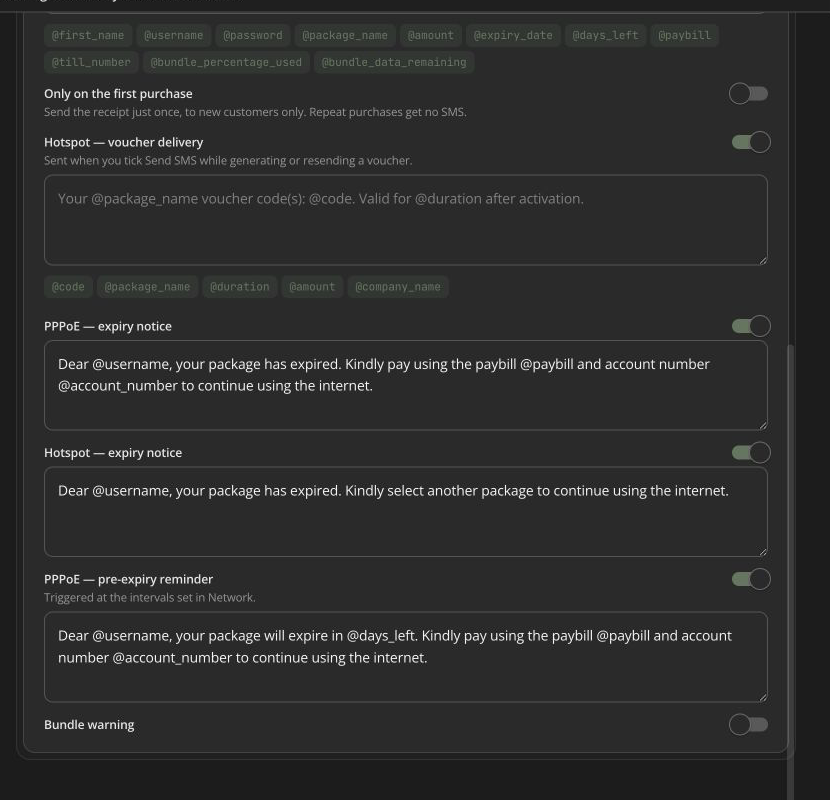
- PPPoE expiry notice;
- Hotspot expiry notice;
- PPPoE pre-expiry reminder;
- bundle-usage warning and trigger percentage.
Message fields enforce a 320-character maximum. Insert variables only from the UI. Test with records that have and lack optional values. That keeps messages readable.
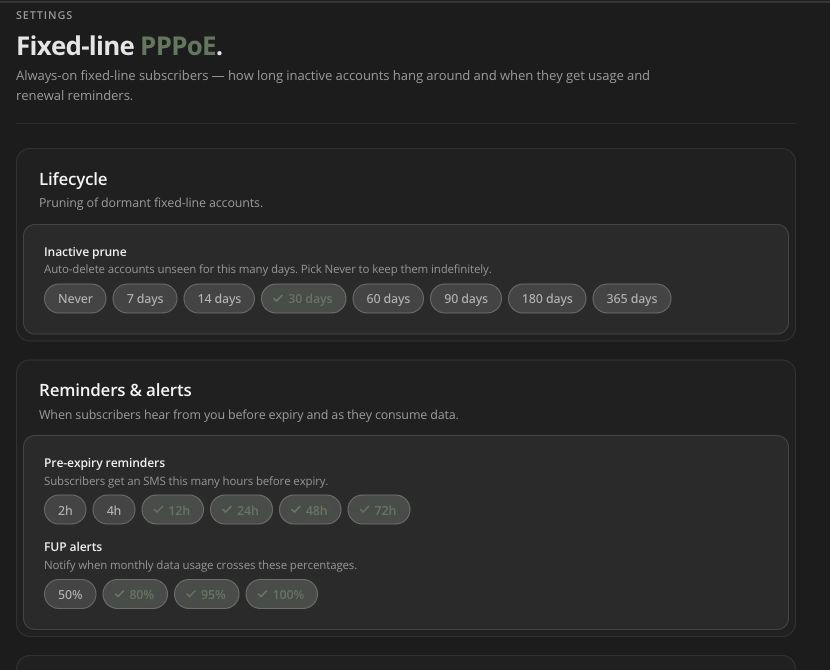
Pre-expiry reminders
PPPoE reminder timing is configured under Settings → PPPoE. The template controls content. Both must be enabled. The subscriber also needs a valid phone and provider path.
Router-status alerts
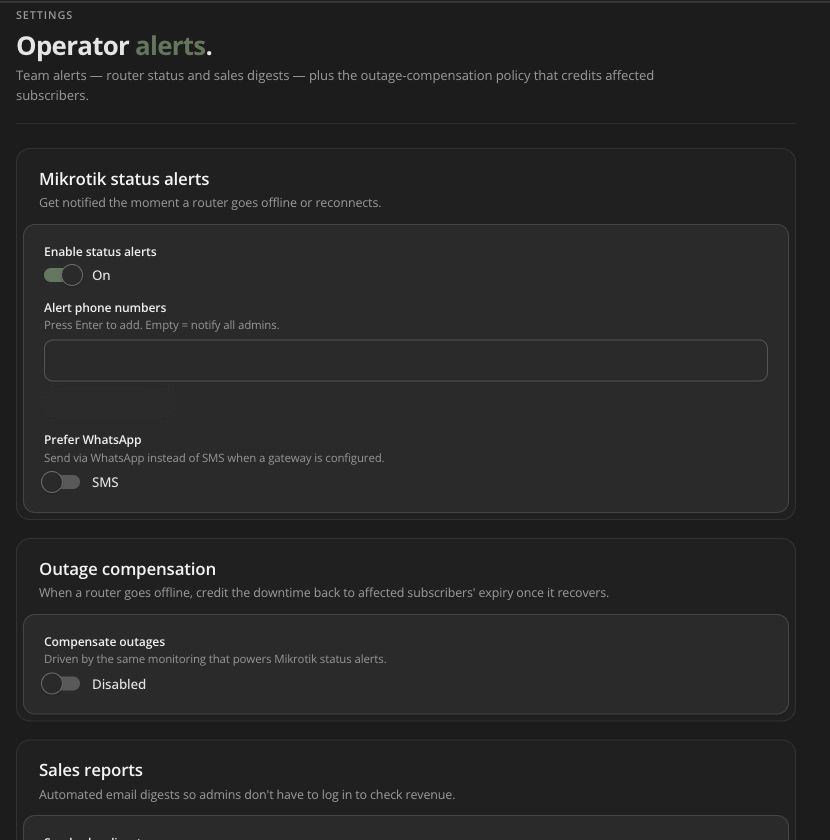
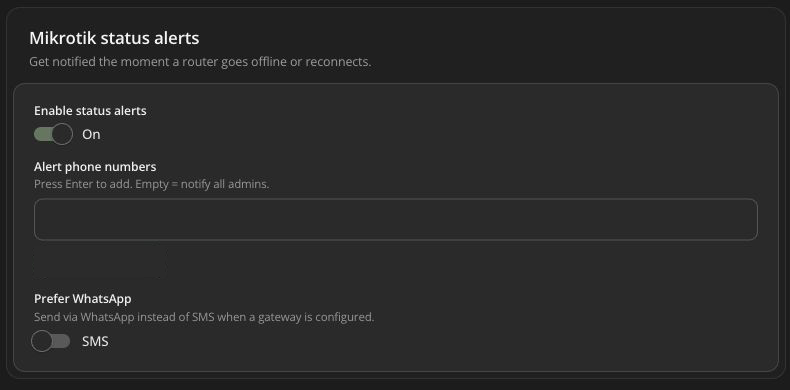
Enable MikroTik status notifications. Then pick the phone numbers to alert, or leave the list empty to use the administrator default. You can also prefer WhatsApp when it is configured.
Test provider delivery separately from router monitoring. An outage can be detected even if the notification provider is unavailable.
Outage compensation
When enabled, monitoring can compensate qualifying outages based on:
- credit percentage of downtime (1–100);
- minimum outage duration (0–1,440 minutes);
- PPPoE, Hotspot, or all connection types;
- selected time-based packages or all;
- optional subscriber notification and message variables.
This setting can change subscriber service time at scale. Model a sample outage and credit first. Review the package selection, and use a controlled rollout.
Sales reports
Operator alerts can turn on sales reports for the recipients and channel you set. Confirm the timezone. Also confirm each recipient may see financial information.
Troubleshooting automation
If an expected message is missing, check:
- that the event qualifies and its switch is on;
- the template and the subscriber’s phone;
- the provider setup and balance;
- the send record, its status and queue timing;
- any new-users-only, percentage or reminder condition.
Do not trigger the business event again before checking the first result.