Hotspot plan
- 3% of hotspot revenue.
- Unlimited MikroTik routers and hotspots.
- Unlimited operators and staff accounts.
- Remote Winbox relay, automated provisioning, and captive portal management included.
- Works with all supported payment and SMS gateways plus voucher management.
- Best for Wi-Fi cafes, estate Wi-Fi, shared venues, multi-tenant buildings, hospitality Wi-Fi, and campus/estate community networks.
PPPoE plan
- $0.25 per active subscriber each month – predictable per-user pricing.
- Unlimited MikroTik routers, VLANs, and PPPoE secrets.
- Automated invoicing, automated payments, and real-time notifications.
- Multiple payment gateways, SMS/email alerts, and equipment tracking included.
- Ideal for WISPs or fiber ISPs that sell recurring subscriptions.
How to subscribe
- Visit the public pricing page to view the latest rates and regional promos.
- Click Get Started – Free under the plan you want (Hotspot or PPPoE).
- Complete the onboarding form to create your Centipid account.
- No extra activation is required—both plans are live on every account, and billing only starts when you add PPPoE subscribers or sell hotspot packages.
+254742324193 or email support@centipidtechnologies.com for personalized guidance. You’ll also unlock a one-time 10% discount on your next monthly renewal for every ISP you refer—see the referrals guide to learn how to invite partners via email.
Billing minimums: Kenyan accounts have a monthly minimum of KES 500. All other regions have a minimum of USD 5 billed per month. Centipid uses these floors to keep infrastructure, relay, and support services online even when your transaction volumes are low.
Renewing your subscription
Your dashboard shows a licence expiry badge in the top-right corner (for example Expiry: 02 Jan 2026). Click that badge any time to open the Centipid Licence page.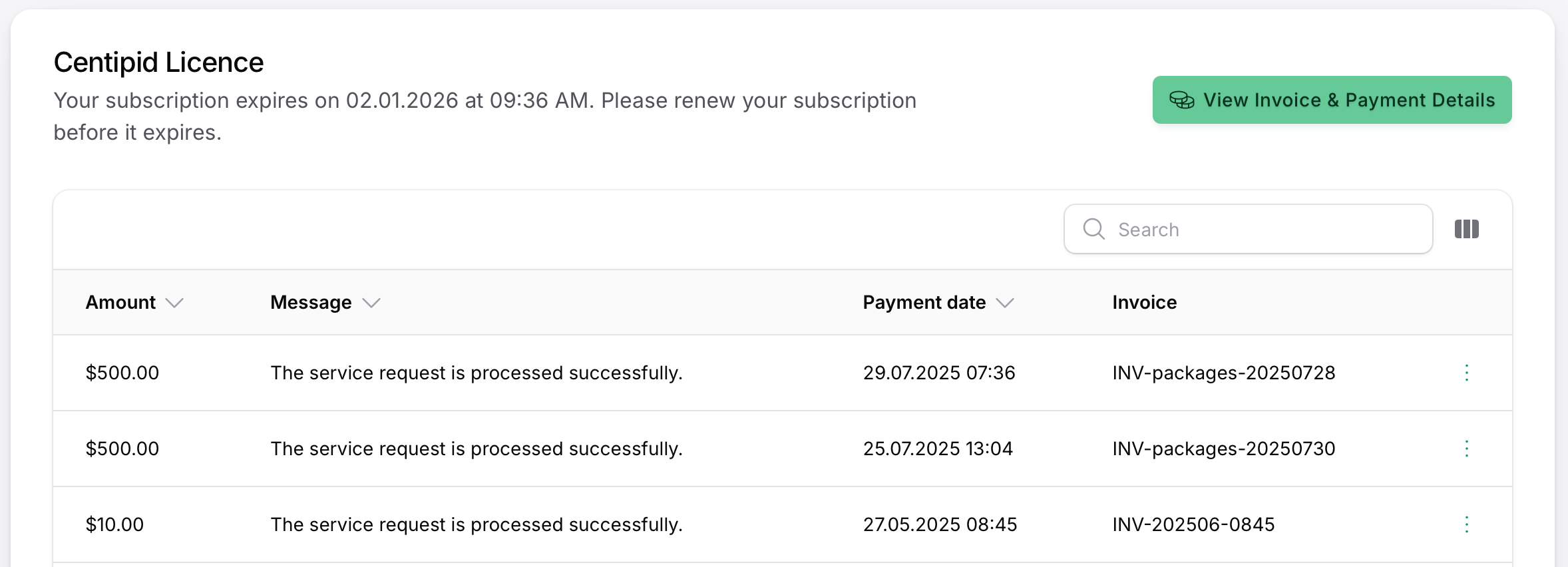
- Review every past renewal, including amounts paid and invoice IDs.
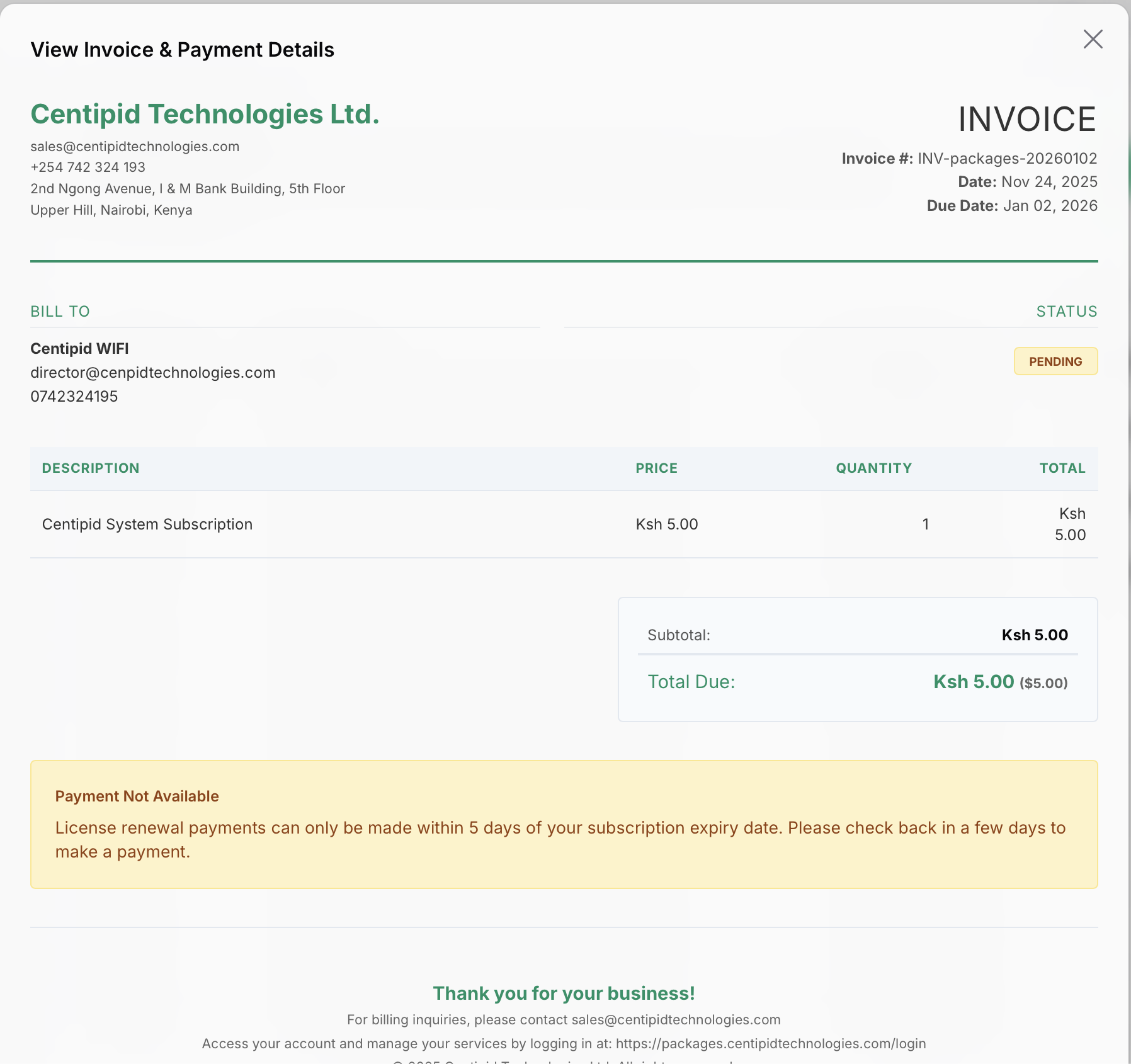
- Use View Invoice & Payment Details to open the current invoice and confirm the billing contact plus the amount due.
- Centipid locks payments until you’re within five days of expiry, so finance teams know exactly when to settle the invoice.