
Open the page
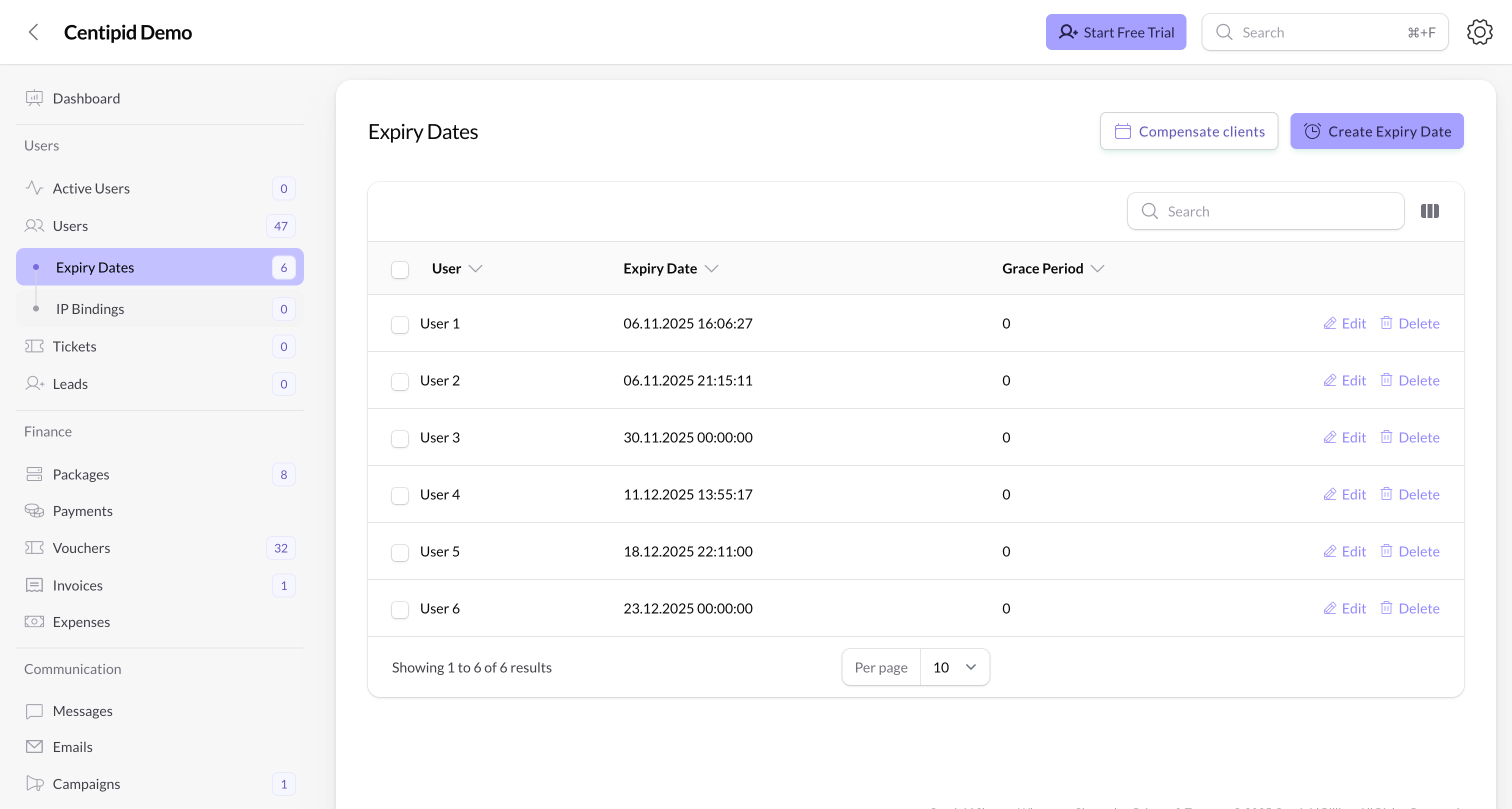
- Click Users → Expiry Dates in the sidebar.
- The badge shows how many active schedulers exist.
- Each row represents one user and the exact timestamp when their account will be disabled.
Create a scheduler
- Click Create Expiry Date.
- Search for the User. Centipid hides admins, referrers, and marketers so you only schedule customer accounts.
- Pick the Expiry Date (date + time). This is when Centipid will disconnect the user and mark their session as expired.
- (PPPoE only) Add a Grace Period in days if you want to give them extra time after the expiry runs.
- Save. The entry appears in the table and Centipid pushes the terminate time to MikroTik plus the local database.
Table columns
- User – links to the subscriber profile for quick context.
- Expiry Date – exact timestamp the scheduler will fire.
- Grace Period – number of days after expiry before the user is throttled/blocked (PPPoE only).
- Created On / Updated On – hidden by default but available when auditing.
Manage existing schedulers
- Edit – adjust the expiry timestamp or grace period. Centipid refreshes the MikroTik scheduler and the cached count automatically.
- Delete – removes the scheduler, deletes the
WISPr-Session-Terminate-Timeattribute, and lets the user stay online until their package expires naturally. - Bulk Delete – admins can select multiple rows to clean up old schedulers at once.
Tips
- Use the Without Expiry tab on the Active Users page to find subscribers who still need an expiry date, then jump here to add one.
- When invoicing business clients manually, create a scheduler that aligns with the invoice due date. If they pay early, edit the record and push the expiry out instead of recreating it.
- Grace periods are ideal for PPPoE customers who owe for a few days but you still want to nudge before suspending service.